An AI-powered credit card app that recommends the best card for every purchase, tracks statement credits and annual perks, and manages your entire wallet. Launched publicly in July 2026. Live on the web and the iOS App Store, where it holds a 5.0 rating, and a top 2.2% Product Hunt launch among 23,000+ July submissions.
I have way too many credit cards. Each one has its own rewards, bonus categories, and annual credits. Keeping track of which card to use for groceries versus gas versus dining out, and making sure I actually used all those credits before they expired, honestly felt like a part-time job.
Most people are in the same spot. The average premium cardholder leaves up to $1,500 in credits and points unclaimed every year. You pay hundreds in annual fees, then swipe the wrong card anyway while the perks you already paid for quietly expire. I tried spreadsheets. They could not keep up, and they definitely could not tell me which card to pull out in the checkout line.
It was not for lack of options. The apps that existed were part of the problem: dense dashboards built for points hobbyists, ads and affiliate pitches nudging you toward yet another card, and bank linking required before they would tell you anything. I never trusted them enough to hand over my accounts, and I suspected I was not alone. That became Cardzen's founding constraint: you just tell it which cards you carry, with no bank linking and no card numbers, and it has to be useful enough to earn its place from that alone. So I built the thing I wanted to exist.
Cardzen started as a nights-and-weekends side project in December 2024. Eighteen months later it launched publicly as a real product on the web and the App Store, with subscribers, a five-star rating, and a top 2.2% Product Hunt debut.
What Cardzen Is
Cardzen is a personal AI assistant for your credit cards. You tell it which cards you carry, with no bank linking and no card numbers, and in under a minute it knows every reward rate, credit, and perk across your whole wallet. From there, you just talk to it.
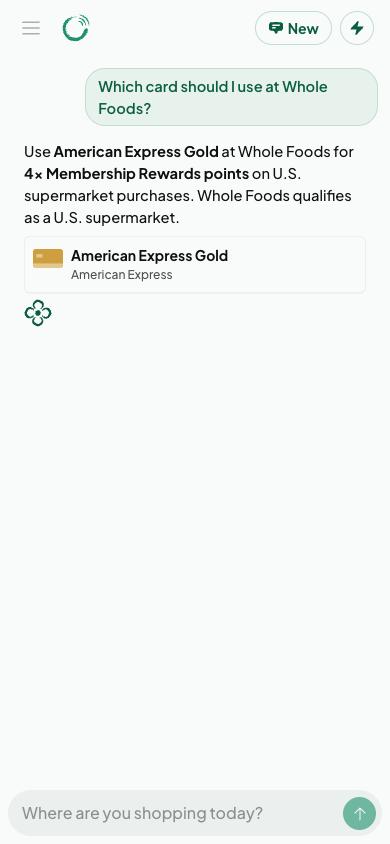
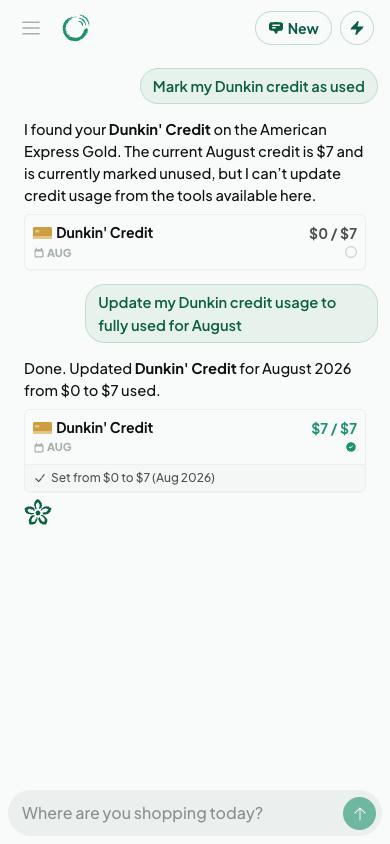
Ask "which card should I use at Whole Foods?" and it answers in seconds, with the reasoning. Tell it "mark my dining credit as used" and it updates your records right in the conversation and shows you exactly what changed. Ask how you are doing this year and it breaks down what you have captured and what you have missed.
Ask a question, get a confident answer with the reasoning
Tell it what you did and it updates your records on the spot
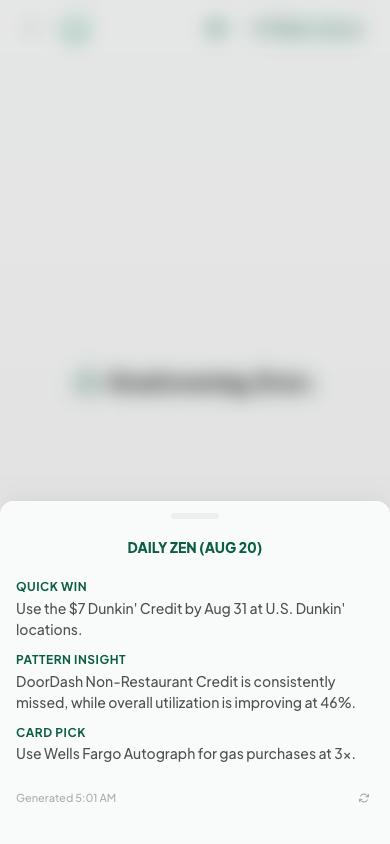
And every morning there is Daily Zen, a short personal briefing that greets you when you open the app: the credit about to expire, the quickest win of the day, a pattern you might not have noticed. It is prepared before you wake up, so the day's answer is always waiting.
Daily Zen: one clear briefing each morning instead of a dashboard to dig through
Designing the Calm
The name is the design brief: credit cards plus zen. Every tool in this space competes for your attention, so Cardzen's identity is built around the opposite. A custom lotus mark, a deep jade green with soft, green-tinted off-whites instead of stark fintech white, and one warm gold reserved exclusively for urgency, so when a credit is about to expire it is the only thing on the screen asking to be noticed.
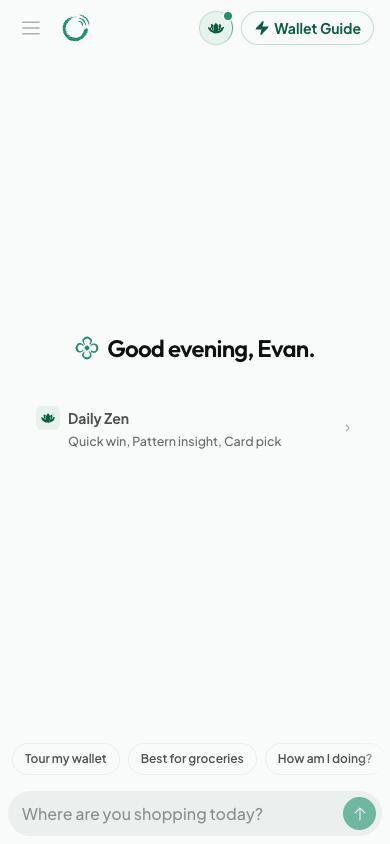
The home screen: calm on purpose. One greeting, one briefing, one question.
The same philosophy shaped the product decisions. There are no ads and no affiliate pitches steering you toward another card. The home screen is a greeting, one briefing, and a question box, not a wall of charts. My rule for every feature was that it had to reduce the amount of thinking a user does, never add to it. If you have ever texted a friend for advice, you already know how to use Cardzen.
The AI Behind It
I worked hard to make this more than a ChatGPT wrapper. Under the hood, Cardzen runs a team of specialized AI agents: one advises, one takes action on your data, and one handles everything else. A routing layer reads each question and sends it to the right specialist, and for most questions that decision happens in a fraction of a second without even needing an AI model. Building this taught me one of my favorite lessons of the project: I originally split the system into six agents, discovered that more agents does not mean better answers, and rebuilt it into a leaner three-agent design that is faster and smarter.
Every answer is grounded in your actual wallet data, not generic advice. And when a question needs current information, like whether a card's benefits just changed, the assistant can search the live web and cite its sources.
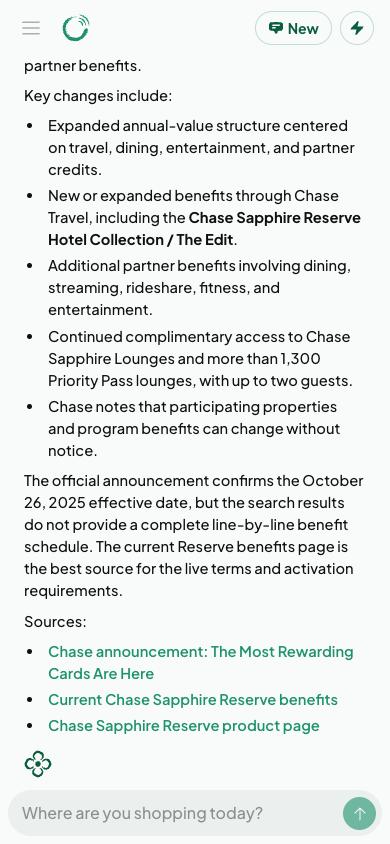
When freshness matters, the assistant searches the web and links its sources
I also hold the AI to a measurable standard. An automated evaluation suite grades its answers for accuracy and helpfulness, with dedicated checks for the worst possible mistake, recommending the wrong card, so quality is tested on every change instead of assumed.
Getting the Card Data Right
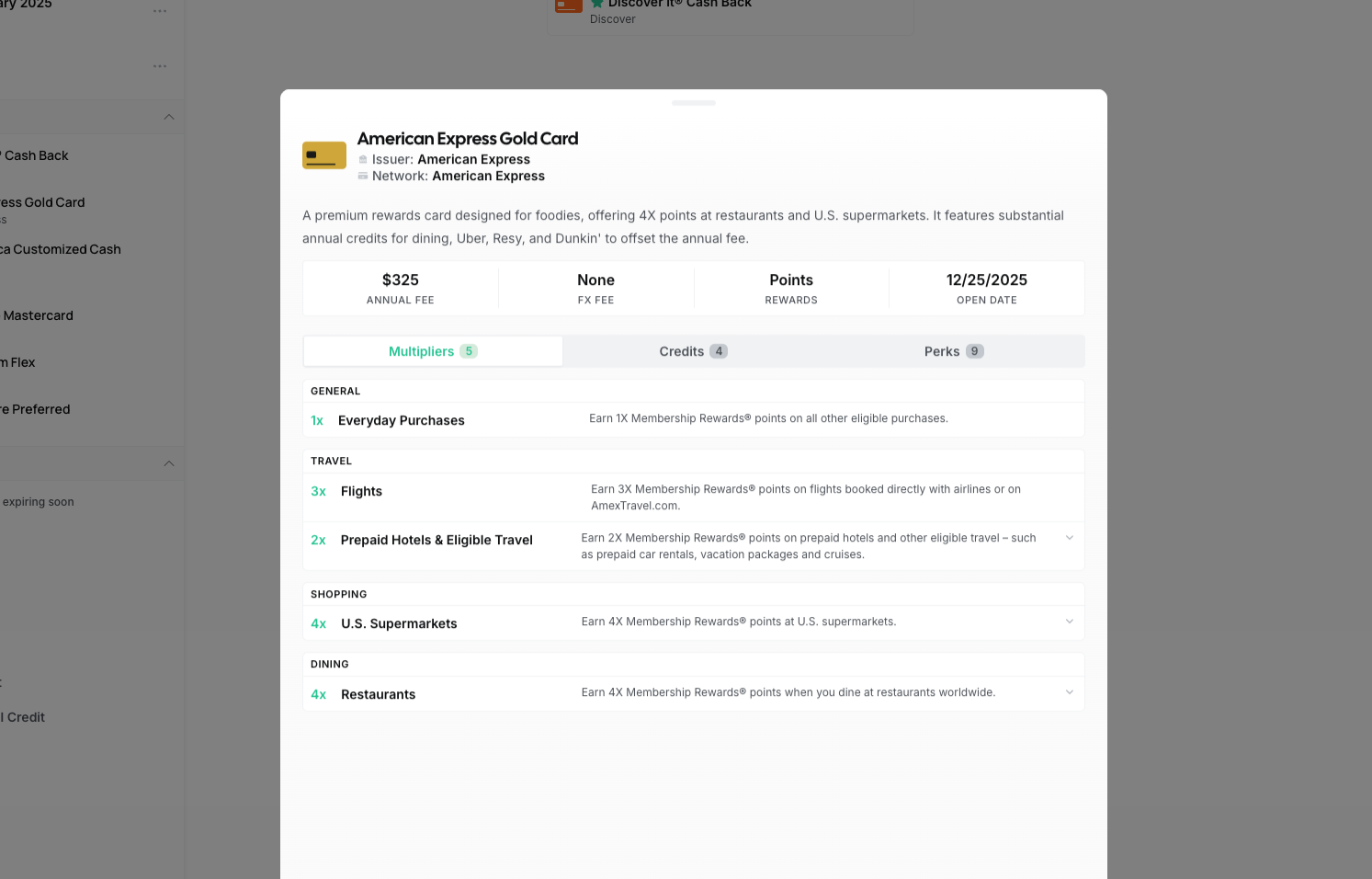
An AI advisor is only as good as its data, and credit card benefits change constantly. So alongside Cardzen I built Card Manager, a separate admin platform for keeping the card catalog accurate. I paste in a card's official benefits page and AI extracts all the structured details in about 30 seconds, work that used to take me half an hour per card. Another AI system periodically compares the catalog against issuers' current pages and flags anything that changed, so stale information gets caught before it reaches users.
Card Manager, the admin platform I built for maintaining the card catalog
Built for the Checkout Line
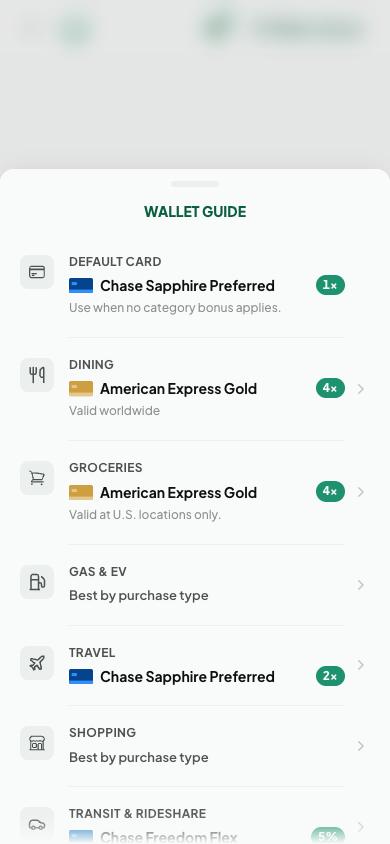
The real test of Cardzen is the moment you are standing at a register. For that moment there is Wallet Guide: one tap opens a ranked list of your best card for every spending category. It works instantly, works offline, and on iPhone it can even notice you are standing near a supported store and float that category to the top.
Wallet Guide: your best card for every category, one tap away
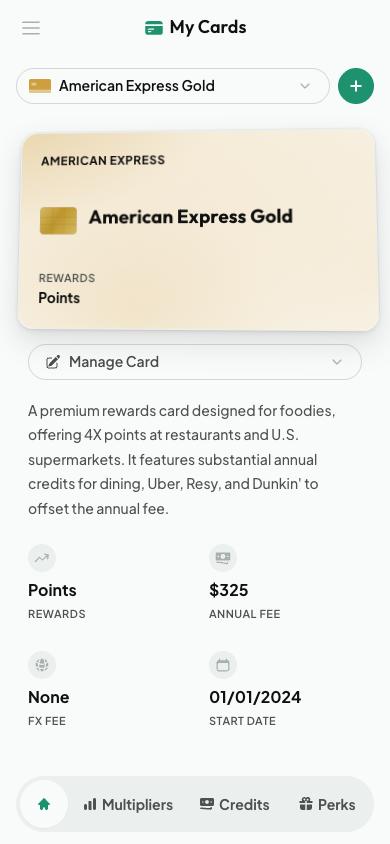
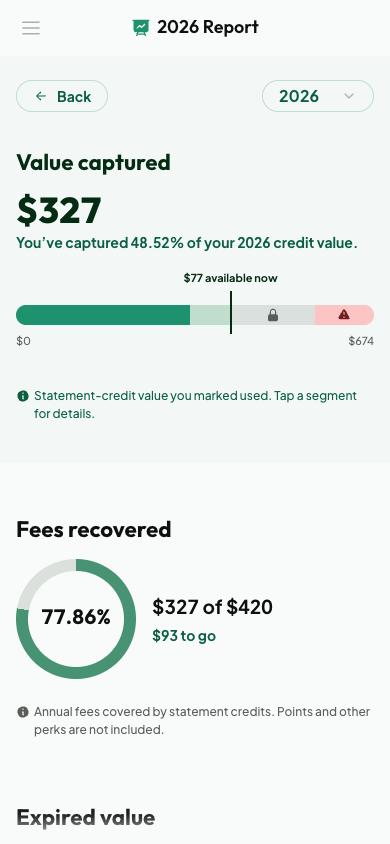
Beyond the chat, Cardzen is a full wallet manager. Every card gets its own page with its fees, rewards, and benefits, and you can turn off any perk you never use so it stops influencing your recommendations. The credits dashboard sorts everything by urgency, rolls the year up per card, and produces an annual report that answers the question every premium cardholder quietly asks: did this card actually pay for its fee?
Every card in your wallet gets its own page
The annual report: how much value you captured and whether your fees paid for themselves
And because remembering is the whole point, the iPhone app can send a gentle reminder before a credit expires or an annual fee renews. I deliberately capped how often it speaks. The version of this feature that keeps users is the one that almost never notifies, so that when it does, you listen.
One App, Everywhere
The same codebase ships as a website, an installable web app, and a native iPhone app, so Cardzen is wherever your wallet is. The iOS app is genuinely native, with custom Swift work for things like natural voice playback and location, and it earned its spot on the App Store rather than feeling like a website in a wrapper.
The newest layer opens Cardzen up beyond its own app entirely: you can now connect your account to ChatGPT, Claude, and other AI assistants and ask about your cards from whichever one you already use. You approve the connection once, control exactly what it can access, and can revoke it anytime. I built the product by working with AI assistants, and now the finished product plugs into them.
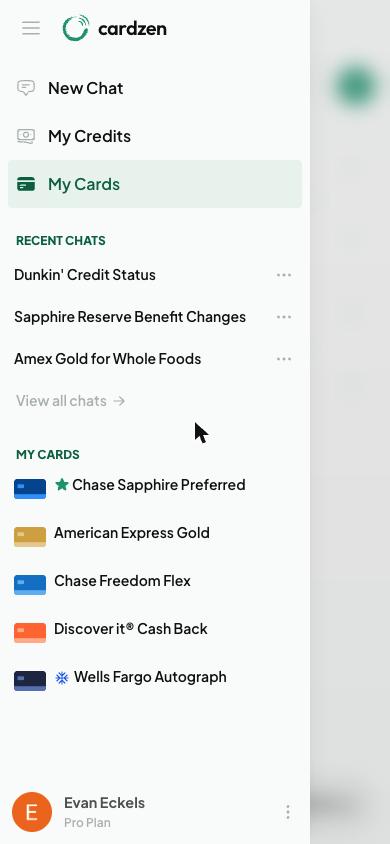
The mobile app: recent conversations, your credits, and your cards in one place
Built Solo by Working With AI
The app is only half of what came out of this project. The other half is how it was built. I started Cardzen reviewing every line the early AI coding tools wrote. By the end, I was running what amounted to a small AI team: one agent implementing features against written plans, another auditing the work before anything shipped, and me directing, reviewing, and making the calls. That workflow is how one person shipped an AI system, a native iOS app, an admin platform, and a testing pipeline in parallel.
The same approach carried into everything around the product. The launch video, the marketing assets, even some of the app's icons came out of AI image, video, and voice tools, with my hands on the taste and the final cut. Cardzen ended up being both the product and the proof of the process.
The Launch
Shipping quietly felt wrong for a project like this, so the launch became its own build. I made the launch video in code: every scene is programmed rather than edited, one master timeline renders versions for YouTube, Instagram, and TikTok, and the live-action moments, like a credit card melting outside a restaurant, were generated with AI video tools.
The launch video, written in code and rendered like software
Cardzen went public on July 22, 2026, announced on X and LinkedIn alongside founder posts across startup communities on Reddit. Six days later it launched on Product Hunt and finished #24 on the daily leaderboard, placing it in the top 2.2% of the 23,000+ products submitted that July. Not bad for a solo founder with no launch-day mailing list.
December 2024: first commit. A side project to answer "which card should I actually use?"
2025: the AI takes shape. One assistant becomes a team of specialists, and the data platform and testing tools grow up around it.
First half of 2026: the native iPhone app comes together, and Cardzen quietly goes live on the App Store for early users and friends.
July 22, 2026: public launch on the web and the App Store.
July 28, 2026: Product Hunt launch. #24 Product of the Day, top 2.2% of 23,000+ July submissions.
August 2026: four App Store updates in under three weeks, adding live web search, redesigned annual reports, a visual refresh, and the ChatGPT and Claude integration.
Since launch, Cardzen has grown to hundreds of users, and the App Store listing has held a 5.0 rating from its first reviewers. The feedback loop is exactly what I hoped for: real people finding real gaps, a release pace fast enough to close them quickly, and notes like this one from the landing page making the eighteen months feel worth it:
"Between shipping AI agents and working nonstop in SF, I never had time to track which credits were expiring. Cardzen caught $120 in Amex credits in my first week, and now just tells me which card to use at checkout."
What I Learned
The loudest lesson was that simplicity has to be defended. Every stage of this project offered the chance to add more: more agents, more dashboards, more notifications. The best decisions I made were subtractions. Collapsing six AI agents into three made the product smarter. Capping how often notifications fire made people trust them. Getting software to say less turned out to be far harder than getting it to say more.
Building alongside AI tools as they matured taught me where human judgment actually lives: deciding what to build, defining what good looks like, and verifying what ships. The tools multiplied my output, but the taste and the standards still had to be mine.
And shipping taught me that the product is only half the work. The launch video, the Product Hunt push, the release notes, the outreach, the support: all of that is the product too. Wearing every hat, from database design to color palettes to marketing copy, was the most demanding part of this project and easily the most rewarding. It is the closest I have come to the reason I got into tech in the first place.
If I started over, I would change two things. I would build the quality-measurement tools in the first week rather than along the way, because every improvement got faster once I could measure the AI instead of guessing. And I would prototype smaller before committing: the six-agent system I eventually tore out taught me a lot, but a rougher version would have taught the same lesson in a fraction of the time.
Where It Stands
Cardzen is live, growing, and shipping every week. It is free to start, with a Pro subscription for credit tracking, daily briefings, and the deeper AI features. The goal has not changed since the first commit: make getting the most from your credit cards effortless for people who will never spend their weekends on points forums.